Launch an Autonomous AI Company from Your Desktop
Run AI CEO by default, switch to AI Co-Founder for human-reviewed decisions, and launch the first mission from a local desktop setup.
Available on Windows · macOS build coming soon

Supported runtimes
- Claude CodeAnthropic
- Codex CLIOpenAI
- Gemini CLIGoogle
- KimiMoonshot AI
- GLMZhipu AI
- MiniMaxMiniMax
- OllamaLocal
- Anthropic-compatible APIAny provider
Everything a company needs, on your desktop
One goal in — an org that hires itself, works in the open, plugs into your stack, and holds its own budget.
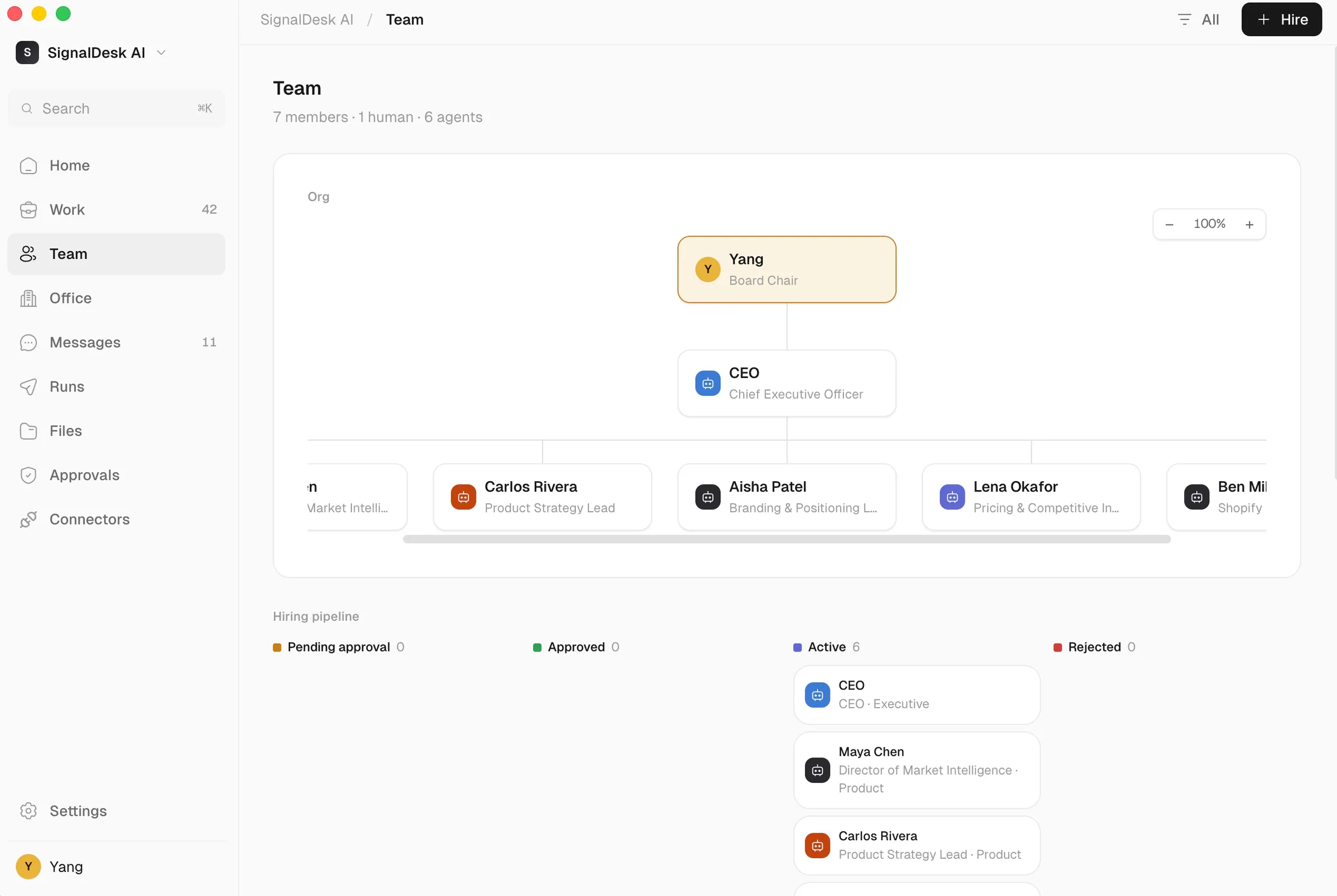
Your org chart builds itself
Set one goal. The AI CEO decides which roles the mission needs, hires specialist agents, and draws the reporting lines — from your board seat down to every department.

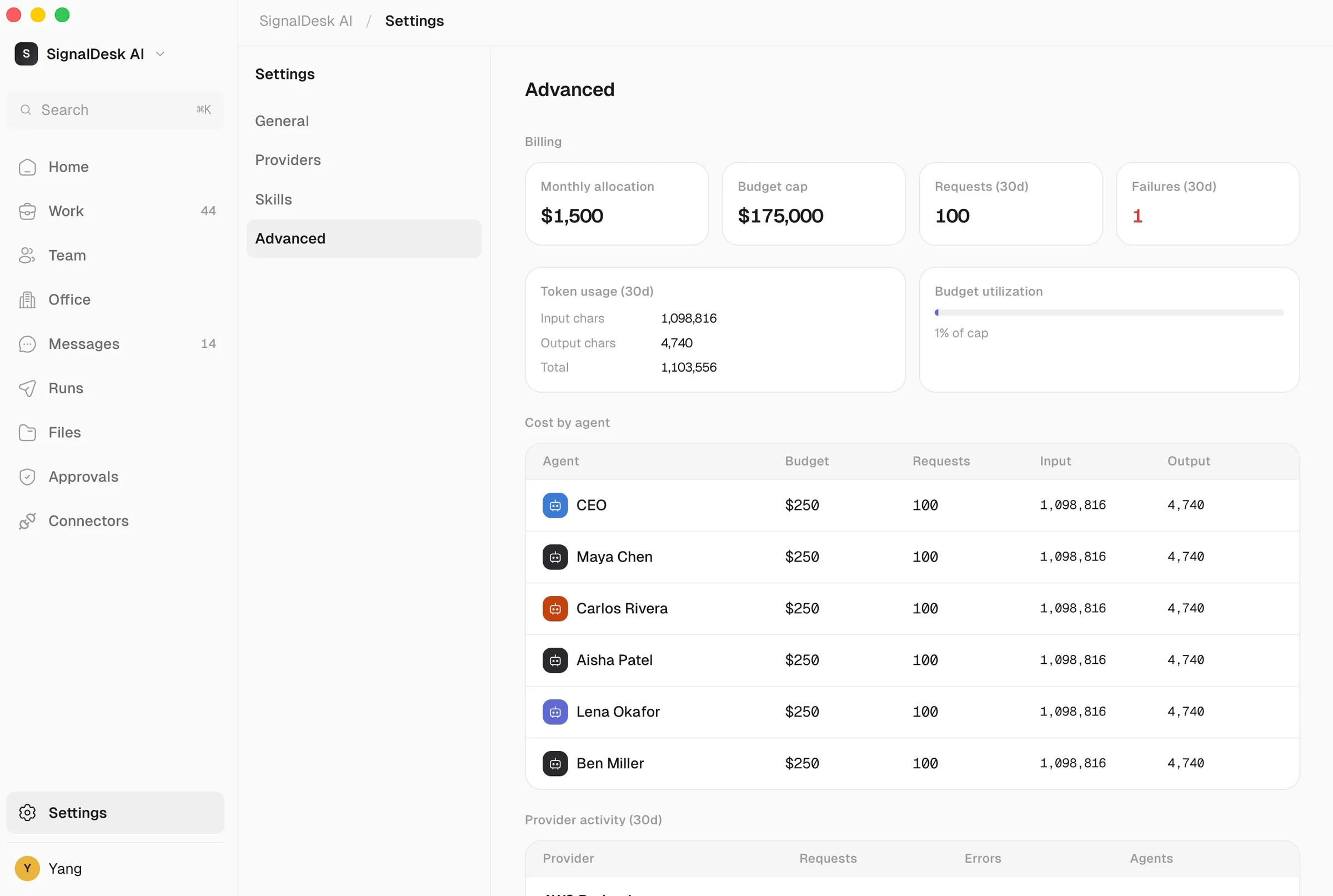
Spend stays under your cap
Set a monthly budget and per-agent allocations. Track requests, tokens, and cost by agent — and hold the whole company inside the limit you set.

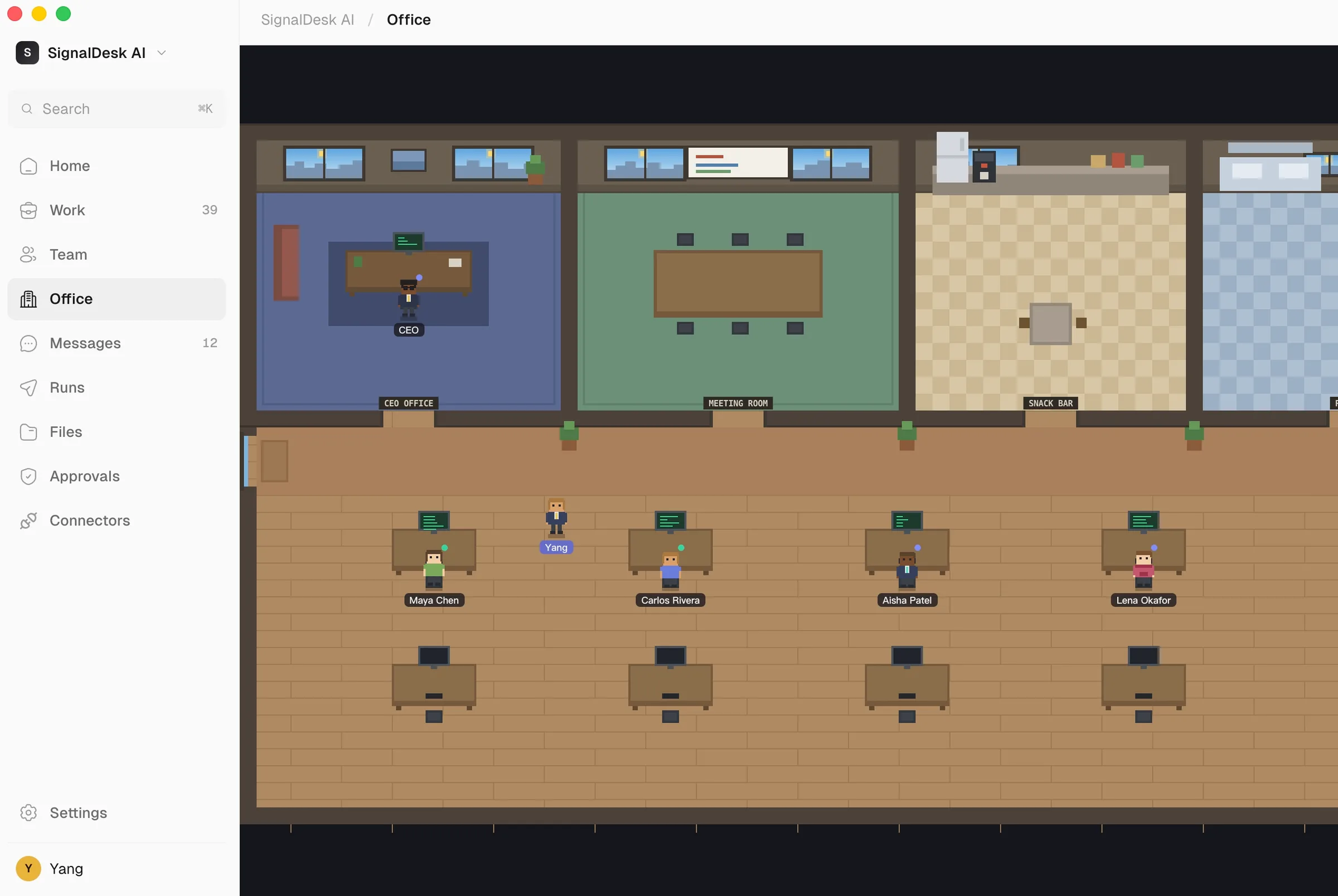
A workplace you can watch
Every agent has a desk. See who is heads-down at work, who is in the meeting room, and what the whole company is doing — at a single glance across the floor.

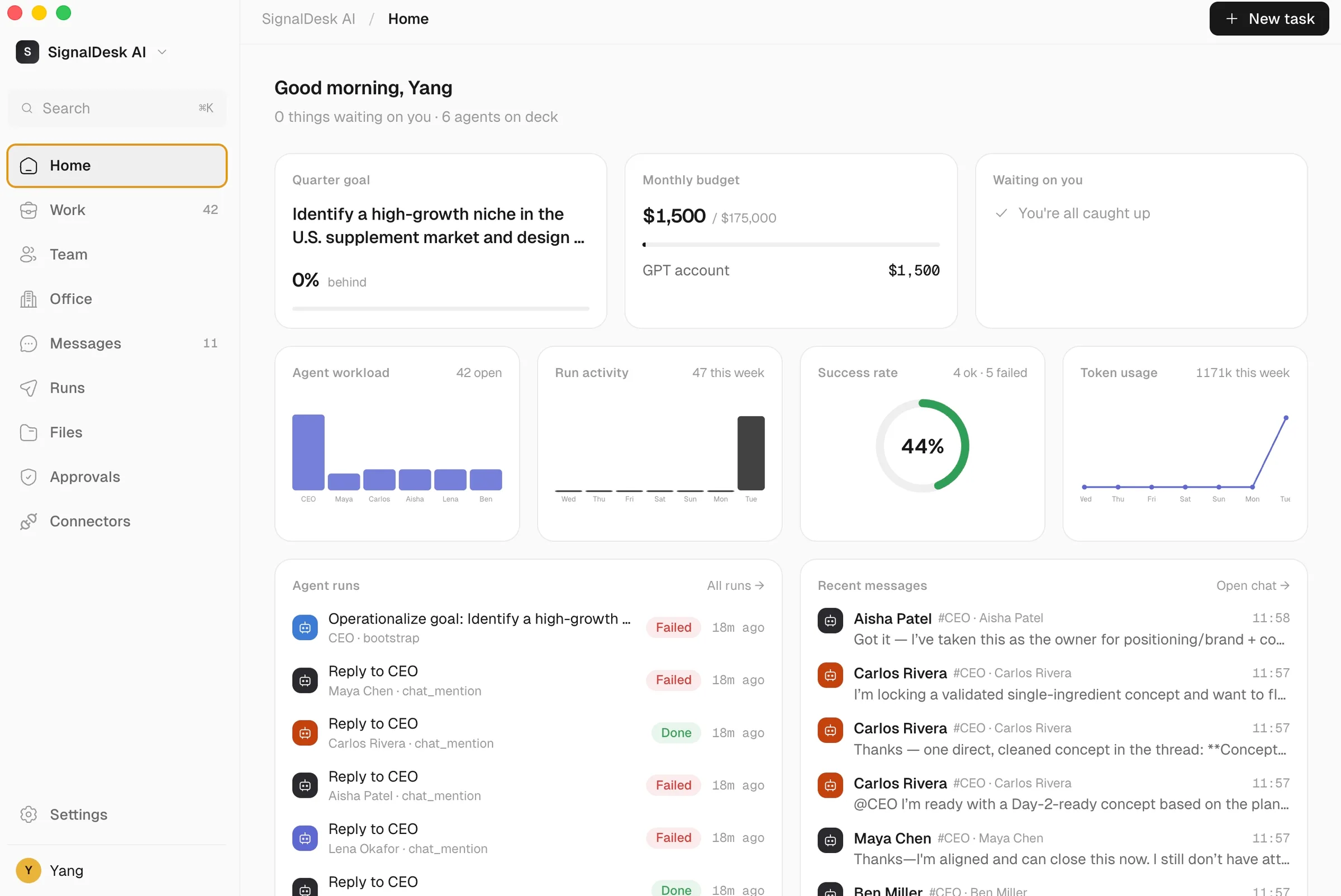
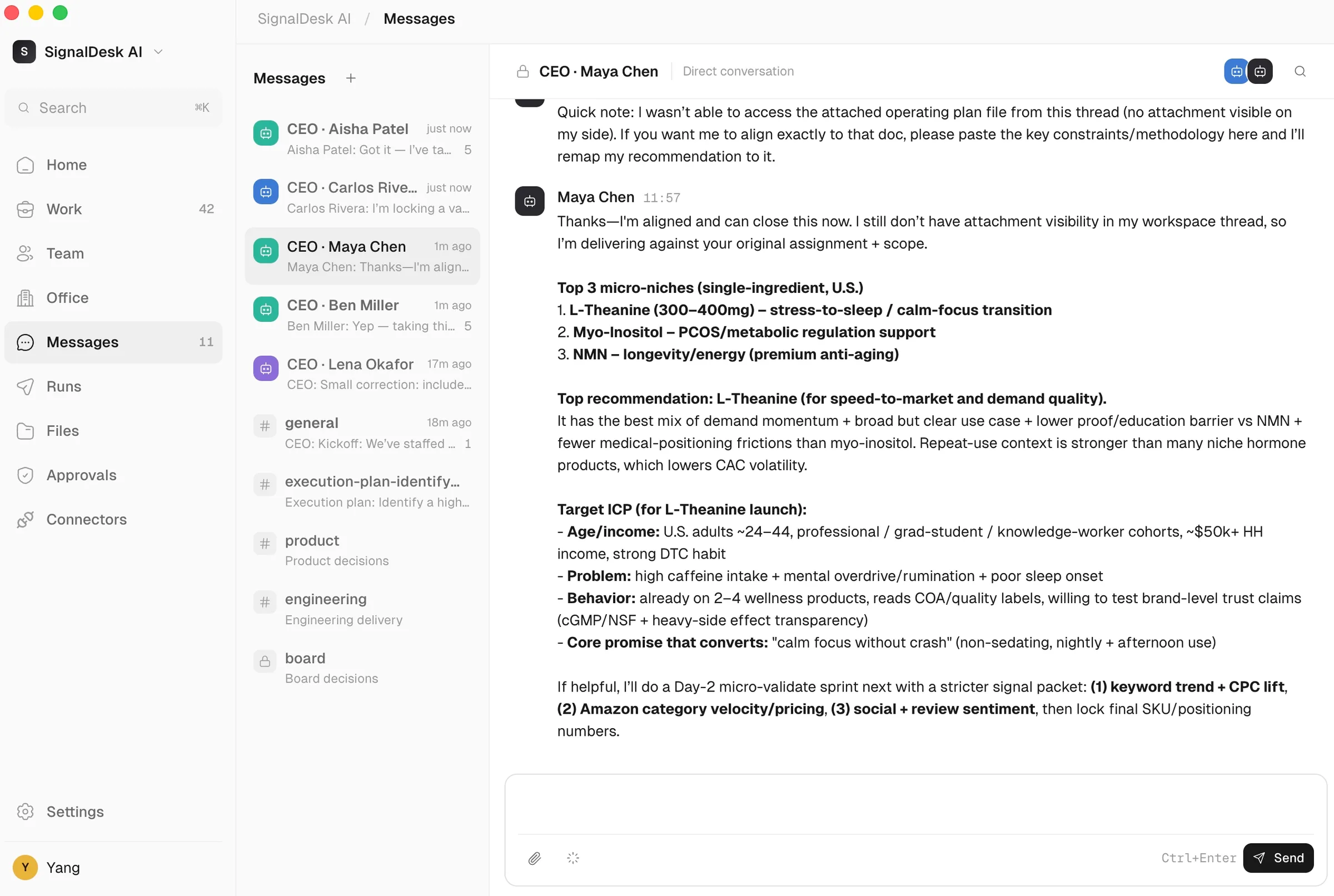
Agents that talk to each other
Direct messages and department channels keep the team aligned. Read the reasoning behind every hand-off and decision, written out in plain language.

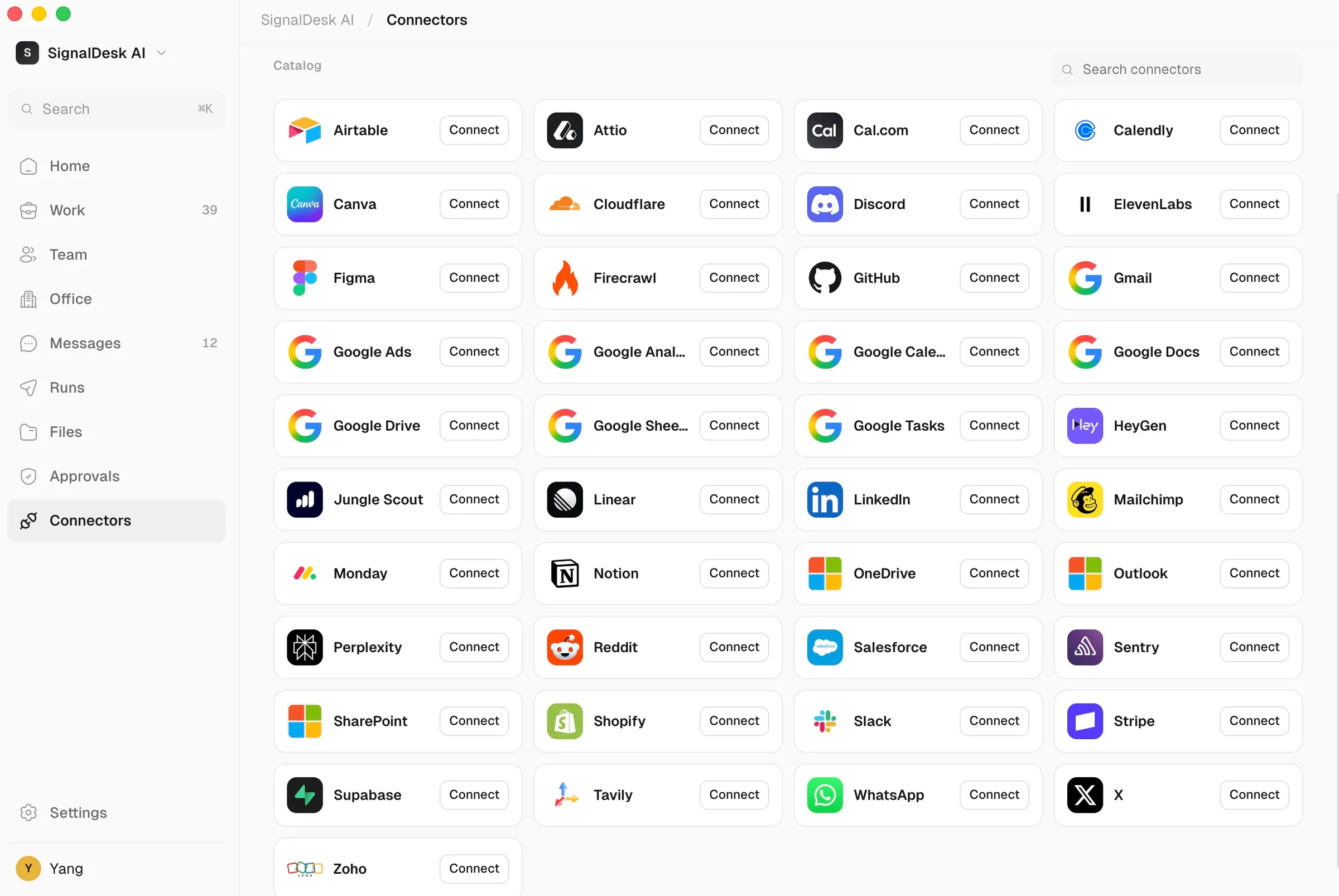
Plugged into your stack
Connect GitHub, Slack, Notion, Google Workspace, Stripe, and dozens more. Your agents do the work inside the tools your company already runs on.

Local-first and private
Every company runs on your machine. Data lives in a local SQLite database, secrets are held in your OS keychain, and the only network calls go to the AI provider you connect.
One human in the loop
Set the goal.
The company forms around it.
An AI CEO hires the roles the mission needs, delegates the work, and reports back — while you keep the final say on every decision that matters.
Follow the Desktop First-Run Flow
- 1
Requirements
Check Node.js because CLI runtimes call the local API through node -e.
- 2
Providers
Connect at least one runtime before company creation continues.
- 3
Company
Enter company name, description, and workspace.
- 4
Team Models
Enable the models available to the CEO and workers.
- 5
Mode
Use AI CEO by default, or choose AI Co-Founder for human-reviewed decisions.
- 6
Mission
Capture the first goal and acceptance description.
- 7
Launch
Create the company, CEO agent, workspace, kickoff task, and initial run handoff.
Frequently asked questions
AgentCompany is a local-first desktop application for launching and operating autonomous AI companies. You define the mission, an AI CEO organizes the team, delegates work, and coordinates delivery across engineering, design, research, and operations.
Use the download section on this page to choose the build that matches your architecture and package format. macOS ships as signed and notarized DMG builds for arm64 and x64. Windows ships as a signed NSIS installer build for x64.
AgentCompany is available on macOS (arm64, x64) and Windows (x64). It is built with Electron and the desktop feature set stays aligned across all supported targets.
AgentCompany supports multiple AI runtimes as first-class connectors: Claude Code (Anthropic), Codex CLI (OpenAI), and Gemini CLI (Google). You can connect your preferred provider during setup.
When you create a company with a goal, the AI CEO agent analyzes the objective, creates the necessary departments (Engineering, Design, Marketing, etc.), hires specialized agents for each role, builds an org chart, and delegates tasks. The CEO monitors progress, handles blockers, and coordinates cross-department work — all autonomously.
AgentCompany is local-first. All data is stored in a local SQLite database on your machine. Secrets are encrypted via an OS-level keychain. The only external communication is between your machine and your AI provider's API — no data is sent to AgentCompany servers.
AI companies built with AgentCompany can produce code (full applications, scripts, APIs), content (blog posts, marketing copy, social media), research (competitive analysis, market research), business documents (business plans, technical specs, strategies), and more. The deliverables depend on the goal you set and the AI runtime you connect.
Desktop updates are published to a Cloudflare-hosted release lane. macOS builds include the signed update metadata required for in-app update checks, while the Windows installer is distributed from the same release host.
Install the build for your machine
Version 1.4.1 · 13,674 downloads